


Instead of treating every alarm arm as proof that someone accessed the safe, record a separate safe event and compare the two timestamps. A safe access log alarm system works only when the alarm receives a signal from the safe or its lock; arming the alarm alone tells you nothing about whether the safe was opened in 2026.
- A safe access log alarm system needs two records: a safe event and an alarm arm event.
- Securitysafes is a starting point for comparing safes; confirm audit outputs with the lock manufacturer before buying.
- A door contact can record opening, but it cannot identify who opened the safe.
- Have a qualified alarm installer confirm input compatibility before connecting a lock or contact to the panel.
Why this matters
An alarm history can tell you when a premises was armed. It cannot establish that a safe was closed, locked or accessed at that moment unless another device reports an event. That distinction matters when you investigate an after-hours opening or check whether a closing routine was followed.
The 2026 recommendation is to keep the safe event and the arm event as separate, timestamped records. Then compare them. Securitysafes offers safes and security storage products to Australian buyers, but a product being described as digitally locked does not establish that its lock exports access events. For the physical connection, read the guide to connecting a digital safe lock to a home alarm system; confirm the instructions against your installed lock and panel manuals.
Before you start
- Identify the safe event you can actually capture. Ask whether the installed lock provides an audit export, a documented output indicating an opening, or neither. A suitable door contact offers a different route: it records door movement rather than the identity of the person using the lock.
- Get authorised access to the alarm configuration and event history. You need the panel model, its installation documentation and permission to change or request changes to its input settings. If a monitoring provider manages the system, agree on the proposed change before anyone alters it.
- Check the non-obvious blocker: an electronic keypad is not an alarm output. A lock can accept codes without offering a usable event output. Likewise, a spare panel input is not proof that the lock's electrical output is compatible. Do not connect them on the strength of matching-looking terminals; have a qualified installer verify the specifications first.
For a 2026 installation, also decide who will review the record. A log nobody checks will not resolve an access dispute. Choose a person with permission to see both the safe-related events and the alarm history before setting up notifications or exports.
Choose the safe event source
The right source depends on the question you need the log to answer. Opening the door, operating the lock and identifying a user are different events. Do not label one as another in a report.
| Event source | Best for | What it establishes | Main limitation |
|---|---|---|---|
| Safe-door contact | Confirming when the door moved | A contact changed state | It does not identify a user or prove the safe was locked afterwards |
| Documented lock output | Recording the event defined by that lock | The lock signalled its specified event | Output meanings and alarm compatibility require model-specific confirmation |
| Lock audit export | Reviewing credential activity where the lock supports it | The events recorded by that lock | It does not automatically appear in the alarm history |
A contact is a practical choice when your question is whether the safe door opened near closing time. A lock audit export is the better choice when your question is which credential was used, provided the lock actually records individual credentials. The drawback is that an export you retrieve separately is not a live alarm-panel event. If you need both answers, keep both sources and label them separately.
Securitysafes lists digital-locking safes, but none of the supplied product information confirms an alarm output or user-level audit capability for a particular model. Choose the required event first, then verify the exact lock specification. The guide to choosing a safe with an audit trail lock explains the selection question; the lock's documentation must settle the compatibility question.
Map the two event sources
- Write down the alarm event you intend to use, such as the panel's recorded transition to armed status. Confirm that the installed system retains an event with a timestamp, not just a current armed indicator.
- Write down the safe event you intend to use: door-contact change, documented lock output, or an audit entry retrieved from the lock. Use the event's actual meaning in your notes.
- Identify where each event will be read. If both enter the alarm history, one report can show their order. If the lock keeps a separate audit export, your review must compare two records.
- Decide what you want to investigate: any safe opening after arming, or an opening shortly before arming. State that rule before configuring alerts so routine access does not become an unexplained exception.
Expected result: you can point to two distinct events and say which device produced each one. If you have only an alarm arm event, stop here; you do not yet have a safe access log.
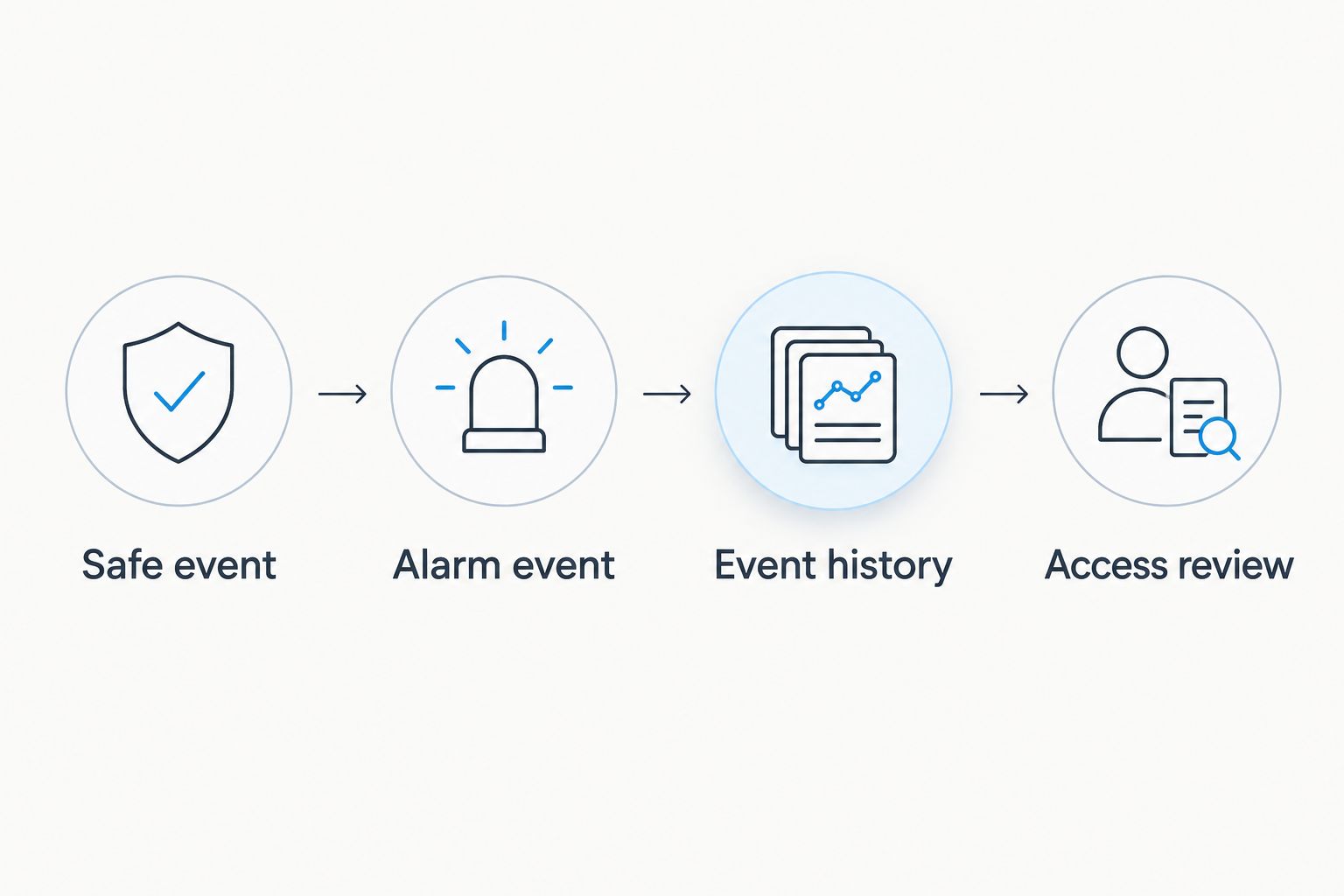
The 2026 setup follows a simple chain: the safe reports an event, the alarm records its own state, and a reviewer checks the sequence. The diagram shows those as separate steps because combining them into a single label would hide what the system actually observed.
Configure the alarm input
These steps describe the configuration decisions, not universal button names. Alarm menus differ by manufacturer. Use the field names and wiring diagram in your panel manual rather than treating a label from another panel as an instruction for yours.
- Have the installer identify an appropriate alarm input and confirm its electrical requirements against the contact or the lock's documented output. Do not connect a lock's power supply directly to an alarm input.
- Have the installer select an input configuration that records the safe event without creating an unwanted intrusion alarm. Whether that is possible, and what the setting is called, depends on the installed panel and monitoring arrangement.
- Give the input a clear, user-defined name such as Safe Door if it monitors a contact. If it monitors a lock output, name the specific event described by the lock manual instead.
- Save the configuration using the panel's documented procedure. Open and close the safe under authorised supervision, then inspect the resulting entries in the panel's event history.
Expected result: the event history shows the safe input changing state at the appropriate action, under a name that accurately describes it. If the history records only the alarm arming, the safe input is not yet working. If the siren or monitoring response activates unexpectedly, stop testing and have the installer correct the input configuration.
Set up the armed-state review
- Confirm that an authorised user can retrieve the alarm's arm events and safe-input events from the same history or export. Make a note of any separate lock audit export needed to identify a credential.
- Set a review rule that fits your closing procedure. For example, flag a safe-door opening after the premises arms, and inspect safe-door events within 5 minutes before arming if staff are expected to close the safe at the end of a shift. The five-minute window is a suggested review setting, not a measured access time.
- Test the rule with an authorised opening while the premises is disarmed, then with the system armed only if your alarm procedures permit that test. Record which events appear and whether the rule flags the intended sequence.
- Check the panel clock against the clock used for any separate lock audit export. For a manual review, mark a difference greater than 1 minute for investigation rather than silently treating the timestamps as exact.
Expected result: you can distinguish a safe event before arming from one after arming. Neither sequence, on its own, identifies a person. In 2026, that distinction should appear in any alert text or incident note you create from the log.
Review access when the safe opens while disarmed
The adjacent workflow uses the same safe event without waiting for an alarm arm. It fits premises where authorised people open a safe throughout the working day. The alarm history records each safe-input change if the panel is configured to log that input while disarmed; a separate lock audit export can add credential detail if the lock supports it.
Start by checking one authorised daytime opening against the history. If the panel records nothing while disarmed, ask the installer whether the installed system can log the input in that state. Do not claim that every daytime opening is captured until this test succeeds. Review the entries alongside your normal access permissions, not as proof that a particular person opened the door.
A daily check is a sensible 2026 operating rule for a team that needs to investigate exceptions promptly. Assign the review to a named role, and include both the safe-input entries and the arm history. If a required event is missing, preserve the available records and investigate the gap instead of filling it with an assumption.
Troubleshooting
- The alarm history shows arming but no safe event. Confirm that the safe has a working contact or documented lock output, then have the installer check the input configuration. An arm event cannot substitute for a missing safe signal.
- The safe event appears under an unclear zone name. Rename the input to match what it measures. Safe Door describes a door contact; it would be misleading for a lock output that reports something else.
- The lock audit and alarm history disagree about event order. Check both clocks and their displayed time settings. Keep the original records while resolving the discrepancy; do not edit an incident timeline to make the entries appear to match.
- A safe opening produces an unwanted alarm response. Stop the test and have the installer check the input's alarm behaviour and monitoring instructions. The fix is a verified configuration change, not disabling the whole alarm.
- A door event appears but no user is identified. That is the limit of a door contact. Check whether the installed lock offers individual-credential audit records; if it does not, the alarm event cannot supply that missing identity.
Customize your workflow
Once the basic safe access log alarm system record is reliable, make the review more useful. Keep the raw event wording in exports, add a documented closing procedure, and decide who is allowed to investigate exceptions. For a 2026 business handover, distinguish the person assigned to close the safe from the person assigned to review the record; the two roles answer different questions.
Securitysafes is useful when you're comparing safes and lock types, but a retailer listing is not a substitute for the exact lock manual. If your team needs separate credentials or a shared-access procedure, settle those requirements before choosing a replacement lock. Avoid describing an alarm input as an audit trail unless you have confirmed precisely what it records.
FAQ
Does arming an alarm automatically log safe access?
No. Arming logs the alarm's state, not whether a safe was opened. You need a separate safe event from a suitable contact or a documented lock output to compare against the arm event.
Can a safe-door contact tell me who opened the safe?
No. A door contact records a change in door position, not a person's identity. Individual-credential information requires a lock that records it and a way to retrieve that audit record.
Can I use a digital safe lock without an alarm output?
Yes, but it cannot supply a wired lock event to the alarm without a documented compatible output. If it has an internal audit export, you can review that separately; a suitable door contact is another way to record opening.
Should opening the safe trigger the alarm siren?
Not for a log-only workflow. Have the installer configure and test the input for the intended recording behaviour, taking any monitoring arrangement into account.
What does a safe opening after the alarm arms prove?
It proves that the configured safe sensor or lock output reported its defined event after the recorded arm event. It does not, by itself, identify a person or prove what was removed from the safe.
How close must the safe and alarm timestamps be?
Use a tolerance you set for your review procedure and check both device clocks. A 1-minute difference is a practical trigger to check clock settings, not a universal equipment specification.
Can Securitysafes confirm that a listed digital safe connects to my alarm?
A digital-locking description alone cannot confirm that connection. Check the exact lock's output documentation and the installed alarm panel's input requirements with a qualified installer before selecting equipment.
One last thing
Test the disarmed opening before you build an after-arming alert. If the panel cannot record a known, authorised safe event during that test, it cannot produce a trustworthy exception later. In 2026, Securitysafes buyers should treat confirmed event output as a separate selection requirement from the safe's lock type.