


Wiring a digital safe lock into your home alarm system turns a silent break-in attempt into an audible, monitored alert instead of something you discover the next morning. Instead of manually checking the safe every time the house alarm trips, wire the lock's output into a spare zone so the two systems talk to each other automatically.
- You can connect a digital safe to an alarm system only if the lock has a relay or monitoring output — check the spec sheet before you buy wire.
- Hardwiring into a spare alarm zone gives the most reliable trigger for safes with a compatible lock in 2026.
- No relay output on the lock still means it works with an external door or vibration sensor fixed to the safe body.
- Test every zone with the system armed before trusting it — a wrong zone type won't alert anyone.
Why this matters
A safe sitting quietly in a wardrobe is only as good as the alert that fires when someone tries to open it. Most home alarm systems monitor doors and windows, not the safe itself, which leaves a gap for anyone who gets inside the house undetected. Wiring a digital lock's output into the alarm panel closes that gap without adding a second monitoring contract.
This matters more in 2026 than it did a decade ago because electronic locks with relay or auxiliary outputs are now standard on mid-range and commercial safes, not just high-end vault doors. If your safe already has a digital keypad lock, the hardware to integrate it probably already exists — you just haven't wired it up yet.
Before you start
- Access to the lock's wiring or battery compartment — usually behind the keypad on the inside of the door, or through a rear service panel on cabinet-style units.
- A spare zone on your alarm panel, either hardwired or a wireless universal transmitter if running new cable through a wall isn't practical.
- The gotcha: not every digital lock has a relay or monitoring output. Basic keypad locks that only beep locally have nothing to wire into, so confirm this before you buy cable, connectors, or a technician's time. Skipping this check is the single most common reason people get halfway through and stop.
Confirm your lock has a monitoring output
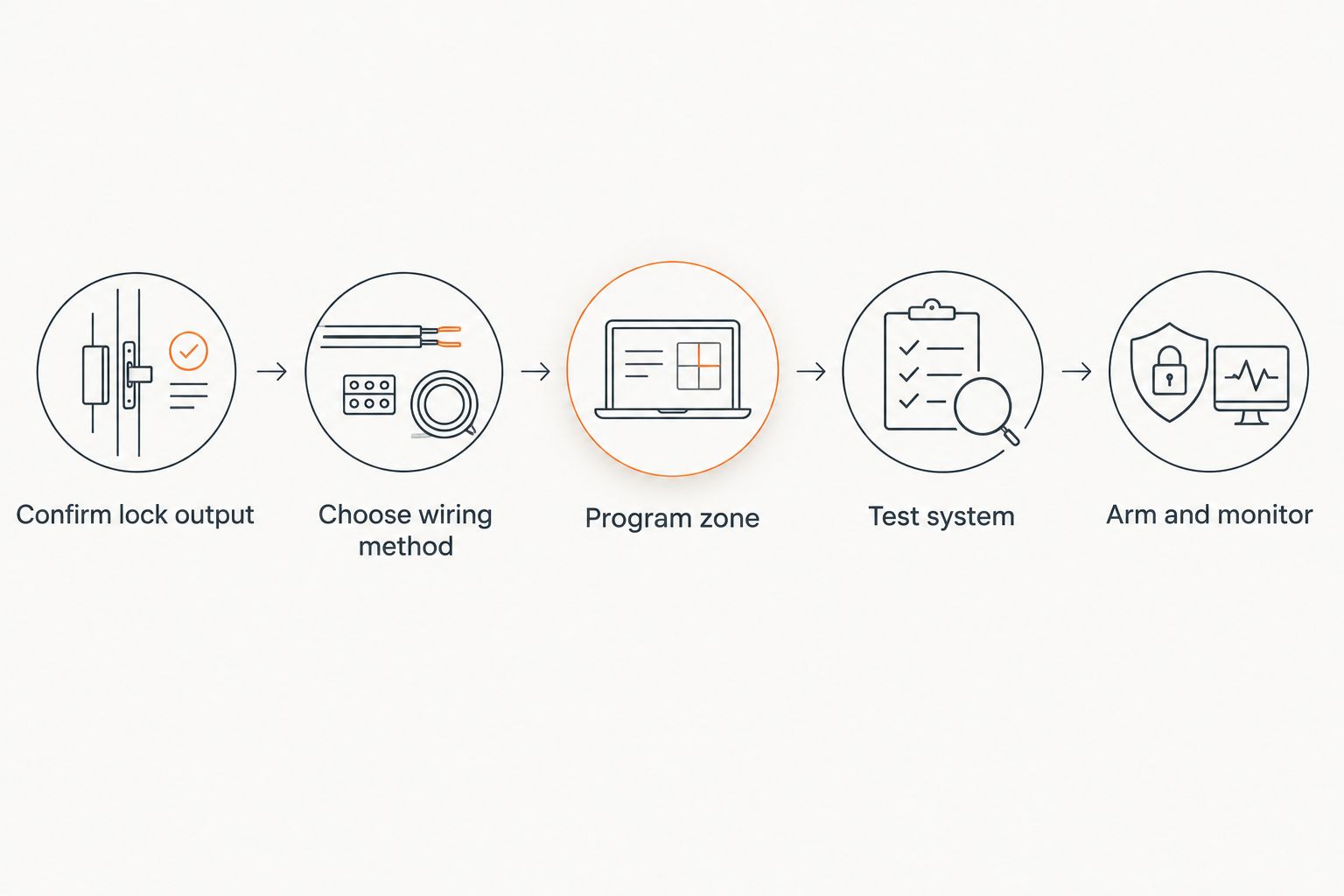
- Pull up the lock's model documentation or the manual that came with the safe. Look for terms like relay output, auxiliary contact, or monitoring terminal.
- If the paperwork is gone, open the battery compartment and look for a second pair of low-voltage wires separate from the keypad and motor wiring — that's usually the output.
- Some locks, including La Gard-style units fitted to models like the CMI PRA and PRB, run on a single 9V battery and expose a signal wire alongside the main harness. Note the wire colour and terminal labelling before you disturb anything.
- If there's genuinely no output, skip to the wireless sensor workflow below instead of forcing a connection that isn't there.
Expected result: you've either identified two labelled output wires or confirmed the lock has none, and you know which path to take next.
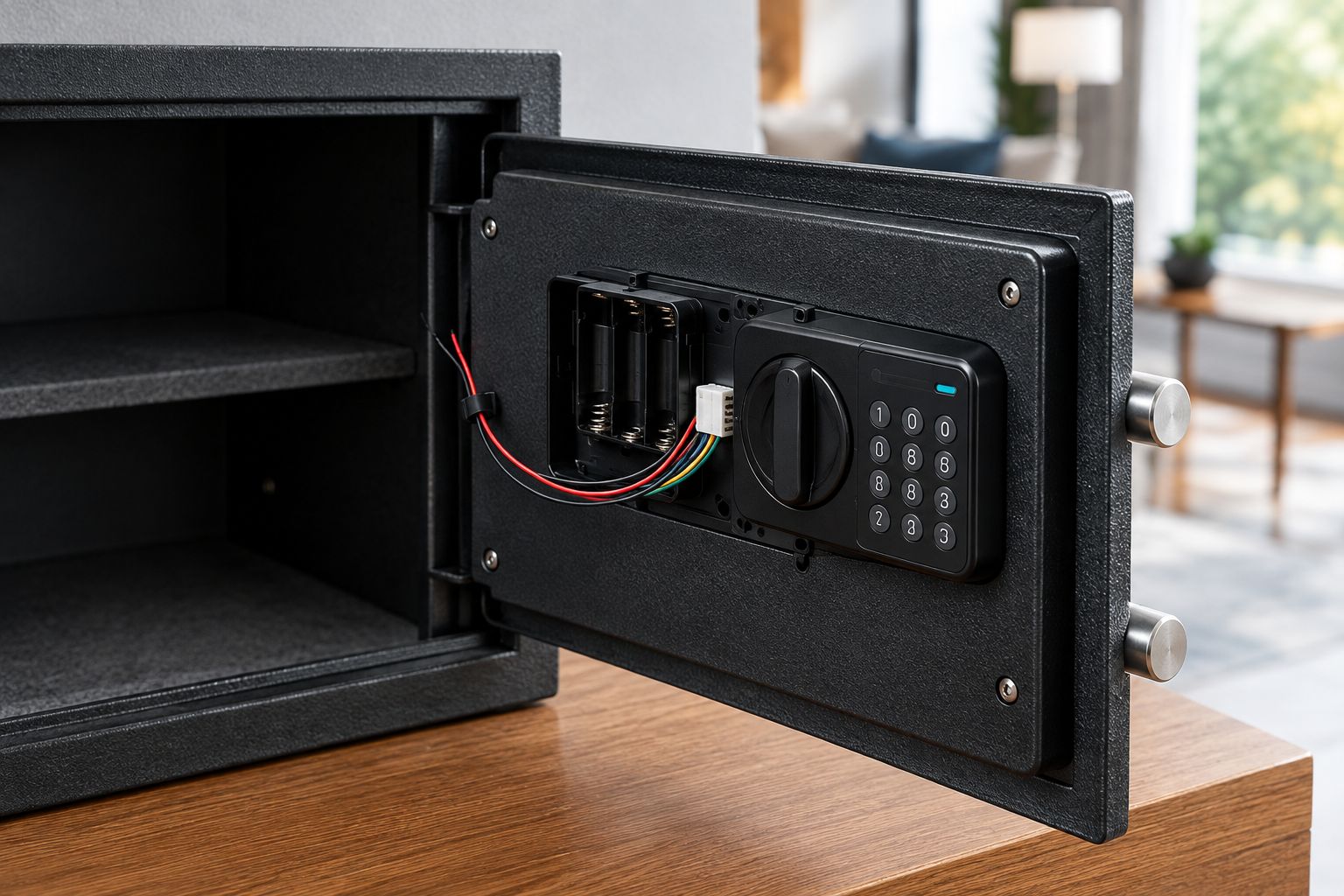
Wire the lock output into an alarm zone
- Run two-core low-voltage cable from the lock's output terminals to the alarm panel's spare zone input, or connect it to a wireless universal transmitter placed inside or near the safe if cable runs aren't feasible.
- On the alarm panel's programming menu, select the spare Zone Number and set the Zone Type to a 24-hour type — most panels label this 24 Hour Audible or 24 Hour Silent depending on whether you want a siren or a monitored-only alert.
- Set the Sensor Type or Loop Type to match the lock's output — most relay outputs are Normally Closed, meaning the circuit breaks and triggers the zone when the lock is opened or tampered with.
- Save the programming and power-cycle the panel if your system requires it to load new zone settings.
Expected result: the new zone shows as Ready on the panel keypad with the safe closed, and changes state the moment the lock output activates.
Three common ways to get a safe talking to an alarm system, compared:
| Method | Reliability | Install effort | Best for |
|---|---|---|---|
| Hardwired zone (lock relay to panel) | Highest — direct electrical signal | Moderate, needs cable run | Safes with a confirmed relay output. Buy this route if the lock supports it. |
| Wireless universal transceiver | High, dependent on RF range | Low — no cable run | Safes far from the panel or in a different room. Buy when wiring isn't practical. |
| External door/vibration sensor on the safe body | Moderate — detects movement, not lock state | Low, self-adhesive install | Locks with no relay output at all. Buy as the fallback, not the first choice. |
Use a wireless sensor when your lock has no output
If you've confirmed the lock has no relay or monitoring terminal, you don't need to buy a new safe to get an alert. Stick a wireless door contact or vibration sensor directly to the safe's body or door seam, pair it to the alarm panel like any other zone, and set the sensitivity so normal handling of the safe (spinning a dial, wiping it down) doesn't cause false alarms. This gets you movement detection rather than a true lock-state signal, but it's a genuine second option when the electronics inside the safe won't cooperate.
A safe that can't tell your alarm panel it's been opened is only half monitored — the wiring is what closes that gap, not the lock alone.
Security Safes stocks several digital-lock models worth checking for a relay output before you commit to a wiring plan. The Chubb Mini Banker MkII range ships with digital locking across every size, and the CMI PRA and PRB Premier Torch and Drill Resisting safes both run a La Gard digital lock powered by a single 9V battery.


For deposit-drop applications with a digital lock built in, the Secuguard CS252E digital lock deposit safe is another model to run the output check against before wiring.
Troubleshooting
- Zone shows as tampered even when the safe is closed — the loop type is set wrong. Swap Normally Closed for Normally Open in the zone programming and retest.
- No signal at all when the lock opens — check the wire run for a break, and confirm the transmitter (if wireless) still has a working battery; RF transmitters typically fail silently when the battery dies.
- False alarms from a vibration sensor on the safe body — the sensitivity is set too high. Lower it a notch and retest with normal handling before assuming the sensor is faulty.
- Panel won't save the new zone type — some older panels need a full power cycle, not just a save command, to load new programming.
- Alarm fires only sometimes — this usually means the output wire has a loose crimp connection, not a lock or panel fault. Recheck the terminal first before replacing anything.
Customize your workflow
Once the zone is live, expand it rather than leaving it as a single trigger. Add a separate zone for the room the safe sits in, so a break-in shows both a room breach and a safe-specific alert on the panel log. If you haven't yet secured the safe to the wall or floor, do that before finishing the alarm wiring — a monitored safe that can still be carried out the door only buys you a few extra minutes.
FAQ
Can you connect any safe to an alarm system?
Only safes with a digital lock that has a relay or monitoring output can be hardwired into an alarm zone. Locks without an output still work with an external door or vibration sensor stuck to the safe body.
Is a hardwired connection better than a wireless one for safe monitoring?
A hardwired connection is more reliable because it's a direct electrical signal with nothing to lose RF range on. A wireless universal transceiver is the practical choice when running cable to the safe isn't possible in 2026-era home layouts.
What zone type should a safe use on an alarm panel?
Most installers set the zone to a 24-hour type, either audible or silent, so the safe is monitored around the clock regardless of whether the rest of the system is armed. Check your specific panel's terminology since labelling varies between brands.
How do you know if a digital safe lock has a relay output?
Check the lock's documentation for terms like relay output, auxiliary contact, or monitoring terminal. If the paperwork is missing, open the battery compartment and look for a second pair of wires separate from the keypad harness.
What happens if the safe lock's battery dies mid-integration?
A dead lock battery typically drops the signal to the alarm zone, which most panels read as a fault or tamper condition rather than a false all-clear. Keep spare batteries on hand and test the zone after every battery change.
Do commercial safes come alarm-ready out of the box?
Most commercial and TDR-rated safes ship with the lock installed but the alarm wiring left to the buyer or installer. Check the lock's spec sheet for a relay output before assuming the safe is alarm-ready.
Can a locksmith wire the alarm connection instead of doing it yourself?
Yes, and it's the safer option if you're not confident identifying low-voltage wiring or programming alarm zone types. A locksmith or alarm technician can confirm the lock's output and complete the wiring in one visit.
One last thing
The part people skip is testing the zone with the system fully armed, not just in programming mode — a zone that shows correctly on the panel's diagnostic screen can still fail to trigger the siren if the arming schedule excludes it. Arm the system, open the safe, and confirm the alarm actually sounds before you consider the job finished.